
Clip Tool for Ableton Live 12 Suite (beta) · open source
Clip Tool
A free audio clip editor for Ableton Live
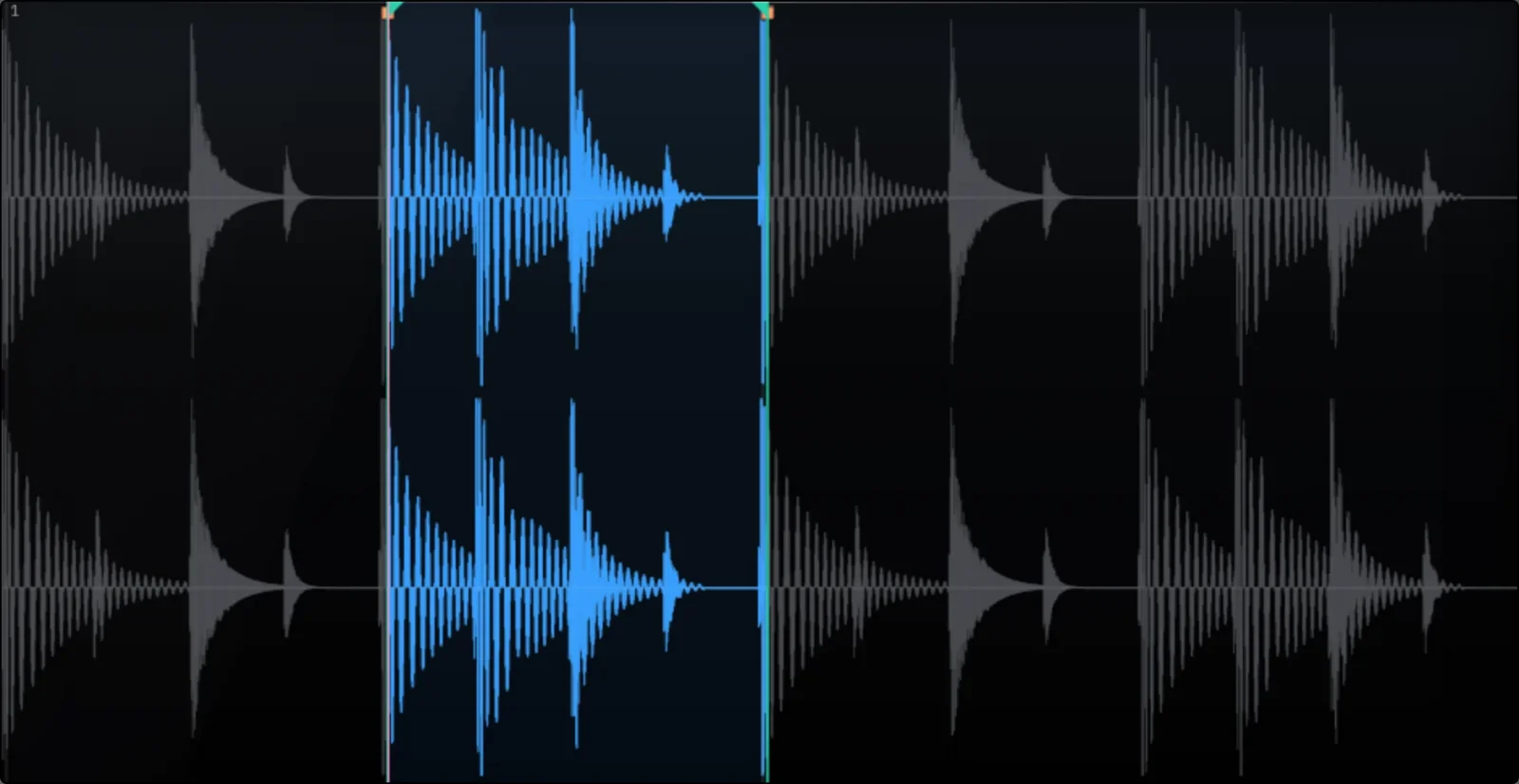
Right-click a clip to trim, clean up, fade, pitch, time-stretch or fold it to mono, and see every change on the waveform before you commit. Your original sample is never touched. Needs the Ableton Live 12 Suite beta, 12.4.5 or later.

then drag across the waveform
What it is for
Clip Tool is a free, open-source Ableton Live extension for editing audio inside Live.
Live’s audio effects are live: they sit on the channel, you cannot see them on the clip’s waveform, and to make them permanent you bounce or render the track. Clip Tool works the other way round. It edits the actual audio in the clip and bakes the result into a new sample you can see and hear.
It also closes a gap. Sampler prep, meaning DC removal, zero-crossing trims, fades, a loop-safe stretch and folding stereo to mono, usually means bouncing out and hoping. Clip Tool does it in place, on the clip, without leaving Live.
Sampler prep without the bounce
Sample-accurate zoom
Scale the waveform from the whole clip down to single samples, so trims, fades and the playhead land exactly where you want them.
Stereo to mono, properly
Left, right, mid sum or side. Audition each one and keep whichever holds the transient and the low end. Live cannot do this to the clip itself.
What else it does
Gain from −18 to +18 dB, DC removal, zero-crossing snaps, fades with four curve shapes, a loop region, a pitch-preserving stretch to a target BPM, and pitch in semitones with grain controls. It also reads the key and tempo of the clip.
Replace the clip in place.
Drop a new clip just after the original.
Build a new MIDI track with Simpler loaded and ready to play.
Scales the result down if it would go over 0 dBFS. On by default.
An honest note on the stretch
The stretch and pitch run on our own algorithm, and it is still a work in progress. Right now it is a lo-fi stretch rather than a clean, transparent one. That is not always a downside: push it for grit and texture and it throws up some genuinely interesting sounds. It will get cleaner over time.
Install
- Install the Ableton Live 12 Suite beta, version 12.4.5 or later. Suite owners get it through Ableton’s beta programme; extensions are not in Standard, Intro or Lite.
- Download
clip-tool.ablxfrom the latest release. - In the Live beta, open Settings › Extensions (Preferences › Extensions on some systems).
- Drag the file onto the panel.
- Restart Live if it does not show up straight away. Live loads extensions at startup.
- Right-click any audio clip and choose Clip Tool.
If nothing happens, check that Developer Mode is off in the Extensions settings. If you run a lot of extensions, try turning some off for a moment; the beta can struggle to load many at once.
New to extensions? Read how to install an Ableton Live extension.
Requirements
- Format
- Ableton Live extension (.ablx)
- Host
- Ableton Live 12 Suite beta, version 12.4.5 or later. Extensions are not in Live Standard, Intro or Lite, or in the release version yet.
- Platforms
- macOS, Windows. Wherever the Live 12 Suite beta runs.
- Requirements
- Ableton Live 12 Suite beta, 12.4.5 or later macOS or Windows Not in Live Standard, Intro or Lite, or the release version yet
- Version
- 1.2.0, 10 October 2026
- Licence
- MIT, free to use, change and share
Questions
Which version of Live do I need?
Ableton Live 12 Suite beta, version 12.4.5 or later, on macOS or Windows. Extensions are not in Live Standard, Intro or Lite, or in the release version of Live yet.
How do I get the Live 12 Suite beta?
If you own Live 12 Suite, join Ableton’s beta programme on Centercode. The beta installs as a separate copy of Live. More on the Ableton extensions page.
How is this different from warping, Simpler or Utility?
Warping, Simpler and Utility change how a clip plays back and leave the audio file as it was. Clip Tool writes a new sample with the edit baked in, trimmed, faded, stretched, pitched or folded to mono, so the result is a plain audio file you can see on the waveform, reuse and share.
Can I turn a stereo clip into mono?
Yes. Choose left, right, the mid sum or the side signal, audition each one, and Clip Tool writes a mono sample. Utility’s Mono switch does a similar job on the channel, but only while it plays.
Is my original sample changed?
No. Clip Tool always writes a new file and leaves the original untouched.
Is it safe to install?
Clip Tool is open source under the MIT licence, and every line of it is on GitHub to read before you install it.
Free, and staying free
MIT licensed. Use it, change it, share it. Bug reports and ideas are welcome on GitHub.
Kerf Modulators for REAPER
Kerf Modulators puts any plugin parameter in motion inside REAPER: envelopes, LFOs, drawn waves and followers in a docked panel, saved with the project. Coming soon, at a £19 beta price.